
Compare models
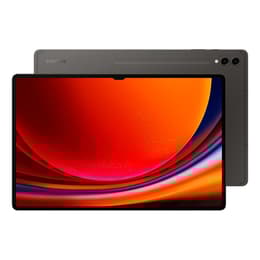
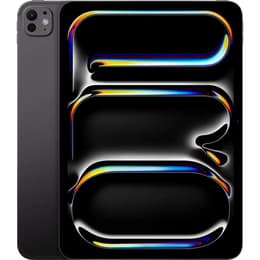
Galaxy Tab S9+ (12.4", 2023) vs iPad Pro (2025, M5 series)
- 1-year warranty
- Free standard shipping
- Free 30-day returns
Differences at a glance
The Samsung Galaxy Tab S9+ (2023) and the iPad Pro (2025, M5 series) represent high-end tablet computing across two distinct operating ecosystems. While both devices deliver large screen formats and premium build quality, they differ fundamentally in their processing architectures, software platforms, and ecosystem integration. Choosing between them often depends on whether users prefer the versatile multitasking style of Android or the desktop-class workflow environment of iPadOS.
Available Models
Colour
Storage (GB)
Scores
Durability
Both tablets are built to withstand daily use over several years, though their remaining support lifecycles differ due to their release dates.
- Software support duration: The iPad Pro benefits from a later launch year and typically receives extended operating system updates, whereas the Galaxy Tab S9+ has a longer track record on the market but maintains a structured multi-year update schedule.
- Build longevity: Both devices feature robust aluminum framing and high-grade structural integrity, ensuring they handle regular transport between home, school, or work environments without issue.
- Repairability and battery health: Professional repair networks can service components on both models, and opting for a quality-assured refurbished option provides a sustainable choice that extends device longevity.
Release year
2023
2025
Compatible with latest Update
Yes
Yes
Operating system
Android
iPadOS
Performance
System responsiveness and speed vary based on internal hardware choices, handling demanding tasks from media streaming to extensive multi-window workflows.
- Everyday multitasking: Both tablets load apps instantaneously and handle split-screen usage without noticeable stutter, though the iPad Pro features higher RAM configurations on select storage tiers to keep heavy background apps active.
- Graphics and gaming: Demanding games and creative rendering tasks run smoothly on both systems, benefiting from thermal management designs that sustain performance over long stretches.
- Storage configurations: Generous base storage options accommodate large file libraries, media downloads, and offline documents.
Screen quality
Visual immersion is a primary strength for both models, utilizing advanced display technology to deliver sharp text and deep contrast.
- Display panels: The Galaxy Tab S9+ uses a dynamic AMOLED screen known for saturated colors and absolute blacks, while the iPad Pro employs a tandem OLED architecture capable of high peak brightness levels.
- Outdoor visibility: High maximum brightness settings on both displays ensure content remains legible under direct sunlight or bright indoor lighting.
- Motion smoothness: High refresh rate support ensures that scrolling through web pages and writing with a stylus feels immediate and fluid.
Resolution
1752 x 2800
2420 x 1668
Screen type
Dynamic AMOLED 2X
Ultra Retina XDR display
Audiovisual
While tablets are rarely used as primary cameras, both devices offer capable optics for scanning documents, video calls, and casual photography.
- Front-facing orientation: Landscape-positioned selfie cameras on both models optimize video conferencing angles for remote meetings and online classes.
- Video recording: Main sensors capture crisp high-definition and ultra-high-definition video clips with steady stabilization for quick recordings.
- Audio output: Multi-speaker arrays deliver room-filling sound with clear vocal separation, making both tablets well-suited for watching movies or listening to podcasts without external speakers.
Miscellaneous
Practical daily usability is shaped by physical dimensions, biometric security features, and included accessories.
- Stylus inclusion: The Galaxy Tab S9+ includes a pressure-sensitive stylus in the box with low latency, whereas Apple sells its stylus accessory separately.
- Biometric security: The Samsung model relies on an under-display fingerprint scanner and facial recognition, while the iPad Pro uses facial recognition exclusively through its sensor housing.
- Port versatility: Both use standard USB-C connection ports for charging and data transfer, with the iPad Pro supporting high-speed Thunderbolt protocols for external displays and accessories.
Weight
129 oz
444 oz
Screen size (in)
12.4
11
Network
Wi-Fi
Wi-Fi
Carrier compatibility
Without SIM Port
Without SIM Port
What the community thinks
User feedback from online communities highlights distinct preferences for each tablet. Galaxy Tab S9+ owners frequently praise the inclusion of the stylus in the box, the flexibility of the Android file system, and the rich colors of the AMOLED screen. Conversely, iPad Pro users frequently emphasize the raw processing power of the M-series architecture, the vast library of tablet-optimized creative applications, and seamless synchronization with other Apple devices. Some users note that iPadOS can feel restrictive for advanced file management, while Android tablet app optimization remains a common topic of discussion for desktop-style power users.
Users prioritizing a complete drawing package out of the box and file management flexibility may prefer the Galaxy Tab S9+, while users seeking maximum processing headroom and a deep catalog of professional creative software will lean toward the iPad Pro. Choosing a quality-assured refurbished option provides an eco-friendly alternative for acquiring either high-end device. Ultimately, the decision rests on which operating ecosystem best matches daily habits and software preferences.