
Compare models
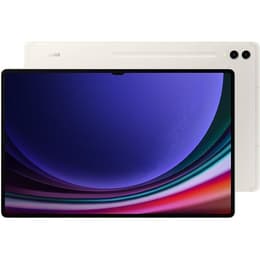
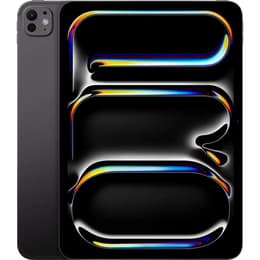
Galaxy Tab S9 Ultra (14.6", 2023) vs iPad Pro (2025, M5 series)
- 1-year warranty
- Free standard shipping
- Free 30-day returns
Differences at a glance
The Samsung Galaxy Tab S9 Ultra (2023) and the iPad Pro M5 (2025) represent two distinct approaches to large-format mobile computing. While both devices offer expansive screen real estate and high-end processing power, they operate on different software ecosystems and target users with unique workflow preferences.
The Galaxy Tab S9 Ultra runs on the Android operating system with an emphasis on multitasking windows and stylus integration, whereas the iPad Pro utilizes iPadOS powered by Apple's high-efficiency internal silicon architecture. These foundational differences shape how each device handles daily productivity and media consumption.
Available Models
Colour
Storage (GB)
Scores
Durability
Long-term usability depends heavily on software update schedules, hardware resilience, and ease of physical maintenance over years of regular use.
- Software support timelines: Both manufacturers provide multi-year operating system updates and security patches, though exact durations vary based on their respective release schedules and enterprise policies.
- Build durability: The Galaxy Tab S9 Ultra features an official water and dust resistance rating alongside aluminum framing, while the iPad Pro utilizes a rigid aluminum chassis designed for structural strength and portability.
- Repair considerations: Both tablets feature sealed internal components that typically require professional service for battery replacements, making quality-assured refurbished options from Back Market a sustainable choice for environmentally conscious buyers looking to extend device lifecycles.
Release year
2023
2025
Performance
System responsiveness and hardware capabilities dictate how smoothly each tablet handles demanding applications, local file storage, and sustained multitasking sessions.
- App execution and multitasking: Both models handle complex applications, split-screen workflows, and resource-heavy creative software with minimal latency, backed by generous memory configurations.
- Battery behavior: Large internal batteries provide consistent power through standard workdays, though heavy usage involving maximum display brightness or intensive 3D rendering will require more frequent recharging.
- Storage capacity: Both devices offer multiple tier options ranging from standard capacities to expansive storage configurations, with the Android model additionally supporting physical card expansion for local media files.
Screen quality
Display characteristics define the visual experience for media viewing, digital drawing, reading, and productivity tasks across various lighting environments.
- Display technology: The Galaxy Tab S9 Ultra utilizes a large organic light-emitting diode panel delivering deep contrast levels, while the iPad Pro features advanced multi-layer tandem display technology designed for high peak brightness and color accuracy.
- Refresh rate and fluidity: Both screens support high refresh rates up to 120Hz, ensuring smooth scrolling through documents, responsive stylus input, and fluid animations during navigation.
- Form factor: The Samsung model offers an ultra-wide cinematic aspect ratio spanning 14.6 inches, whereas the iPad Pro provides a slightly more compact alternative suited for versatile handling in portrait and landscape orientations.
Audiovisual
Optics and audio hardware support remote communication, content capture, and media playback for everyday entertainment and professional tasks.
- Camera systems: Both tablets feature capable rear camera arrays and wide-angle front-facing lenses positioned along the landscape edge to optimize video call framing.
- Audio output: Quad-speaker arrays tuned with spatial audio support deliver clear dialogue and rich sound profiles for movies, music, and virtual meetings without requiring external speakers.
- Recording quality: Internal microphones capture clear voice audio for calls and voice memos, complemented by dependable video capture capabilities for casual documentation.
Miscellaneous
Physical dimensions, connectivity standards, and biometric security features determine everyday convenience and accessory compatibility.
- Connectivity standards: Both devices support fast wireless local area networks and optional cellular data configurations for internet access while traveling.
- Physical dimensions: The Samsung tablet prioritizes an expansive workspace with a very thin profile, whereas the iPad Pro focuses on a lighter overall weight that eases prolonged handheld reading.
- Authentication and ports: Security is handled via biometric sensors such as facial recognition or under-display fingerprint scanners, while universal USB-C ports manage power delivery and data transfers.
Screen size (in)
14.6
11
Network
Wi-Fi
Wi-Fi
Carrier compatibility
Without SIM Port
Without SIM Port
What the community thinks
User feedback from online communities highlights distinct preferences for each device based on everyday workflows. Owners of the Galaxy Tab S9 Ultra frequently praise its expansive display canvas, inclusion of a versatile stylus in the box, and the flexibility of expandable storage. Conversely, iPad Pro users commonly emphasize the reliability of the software ecosystem, fluid processing speeds, and the comfort of a lighter chassis during travel. Some criticisms for the Samsung device center on its large footprint making it cumbersome in tight spaces, while iPad users occasionally note software multitasking limitations compared to traditional desktop operating systems.
Users prioritizing a massive cinematic screen for split-screen apps and media will find the Galaxy Tab S9 Ultra well-suited to their needs, while users looking for a lighter, highly portable creative tool powered by Apple silicon may prefer the iPad Pro. Choosing a quality-assured refurbished option provides an eco-friendly alternative that reduces electronic waste while delivering high-end performance. Selecting between these devices ultimately depends on ecosystem preference and whether an ultra-wide workspace or a compact, lightweight form factor aligns better with your daily routine.