Compare models
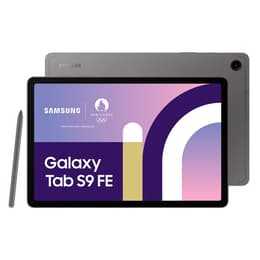
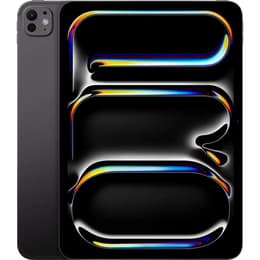
Galaxy Tab S9 FE (10.9", 2023) vs iPad Pro (2025, M5 series)
- 1-year warranty
- Free standard shipping
- Free 30-day returns
Differences at a glance
The Samsung Galaxy Tab S9 FE (2023) and the Apple iPad Pro (2025, M5 series) represent distinct tiers of the tablet market, catering to different workflow styles and functional expectations. While the Galaxy Tab S9 FE operates on the Android ecosystem with an emphasis on versatile everyday utility, the iPad Pro runs on iPadOS powered by advanced processing hardware designed for intensive workloads. These two devices differ significantly in their target use cases, hardware sophistication, and software environments, allowing users to choose the option that best matches their daily requirements.
Available Models
Colour
Storage (GB)
Scores
Durability
When examining long-term viability, both tablets offer reliable update schedules and structural durability, though their release years and software support frameworks differ.
- Software Support Duration: The iPad Pro benefits from Apple's long-standing software lifecycle, receiving system updates for many years, while the Galaxy Tab S9 FE provides a multi-year security and platform update commitment typical of modern Android devices.
- Build Quality and Repairability: Both models utilize sturdy aluminum construction designed to withstand regular transport, with manufacturer support available for maintenance and battery replacement services over time.
- Expected Practical Lifespan: Users can anticipate several years of dependable service from either device, with the choice depending largely on how long software optimization aligns with evolving application requirements.
Release year
2023
2025
Compatible with latest Update
Yes
Yes
Operating system
Android
iPadOS
Performance
Processing capabilities and day-to-day responsiveness vary substantially between these two tablets, influencing how they handle demanding tasks and multitasking sessions.
- App Loading and Multitasking: The iPad Pro handles heavy professional applications, complex rendering, and resource-intensive games smoothly, whereas the Galaxy Tab S9 FE manages everyday browsing, streaming, and document editing with reliable stability.
- Storage and Memory: Both lineups offer various configurations to accommodate large file libraries, though memory bandwidth and allocation differ to support their respective operating systems.
- Battery Behavior: Each device is engineered to sustain a full day of mixed usage, with power consumption scaling depending on whether the screen is utilized for casual media consumption or high-performance creative work.
Screen quality
Display characteristics define the visual experience on both tablets, impacting media viewing, reading, and digital illustration tasks.
- Display Technology: The iPad Pro features advanced screen technology with exceptional contrast and deep black levels, while the Galaxy Tab S9 FE utilizes a clear liquid crystal display suitable for daily productivity and viewing.
- Brightness and Outdoor Use: Both screens offer adequate brightness levels for indoor environments, with higher-tier models providing enhanced outdoor visibility under direct ambient light.
- Refresh Rate and Smoothness: High refresh rate support ensures fluid scrolling and responsive stylus interaction, making handwritten notes and sketching appear natural on both devices.
Resolution
1440 x 2304
2420 x 1668
Screen type
IPS LCD
Ultra Retina XDR display
Audiovisual
Optics and audio components vary to support different forms of communication, remote collaboration, and media capture.
- Camera Systems: The iPad Pro includes multi-lens camera arrays and advanced depth sensors for scanning and photography, while the Galaxy Tab S9 FE equips straightforward single-lens front and rear cameras suited for video calls and quick snapshots.
- Microphone and Speaker Output: Both models incorporate multiple stereo speakers and clear microphone arrays, delivering balanced audio output for virtual meetings and video playback.
- Video Recording: Video capture capabilities support high-resolution recording and stable conferencing, though professional creative suites lean toward the more advanced processing options available on the iPad Pro.
Miscellaneous
Physical dimensions, connectivity standards, and ecosystem accessories shape the practical handling of each tablet.
- Connectivity Options: Both models support fast wireless standards, with optional cellular configurations available for mobile data access on the move.
- Port Type and Charging: Universal USB-C connectivity is standard across both devices for charging and accessory attachment, replacing proprietary connectors.
- Handling and Portability: The Galaxy Tab S9 FE and iPad Pro offer sleek profiles and manageable weights, though exact dimensions vary based on screen size and internal hardware configurations.
Weight
523 oz
444 oz
Screen size (in)
10.9
11
Network
Wi-Fi + 5G
Wi-Fi
Carrier compatibility
Unlocked
Without SIM Port
What the community thinks
User feedback highlights distinct preferences for each device depending on daily routines and software familiarity. Owners of the Galaxy Tab S9 FE frequently praise its reliable everyday performance, included stylus accessory, and balanced feature set for studying and media consumption. Meanwhile, iPad Pro users often emphasize the raw processing power, vibrant screen quality, and smooth multitasking capabilities suited for creative workflows. Some users note that the closed operating system on the Apple device restricts certain file management tasks, whereas Android users occasionally mention that tablet-optimized applications can vary in availability.
Users prioritizing general productivity, media streaming, and note-taking will find the Galaxy Tab S9 FE well-suited to their needs, while professionals requiring heavy computational power and advanced design tools may lean toward the iPad Pro. For those seeking a quality-assured refurbished option, Back Market provides sustainable choices that extend device lifecycles while maintaining high performance standards. Ultimately, selecting the right tablet depends on aligning your specific workflow demands with the operating system and hardware strengths of each model.